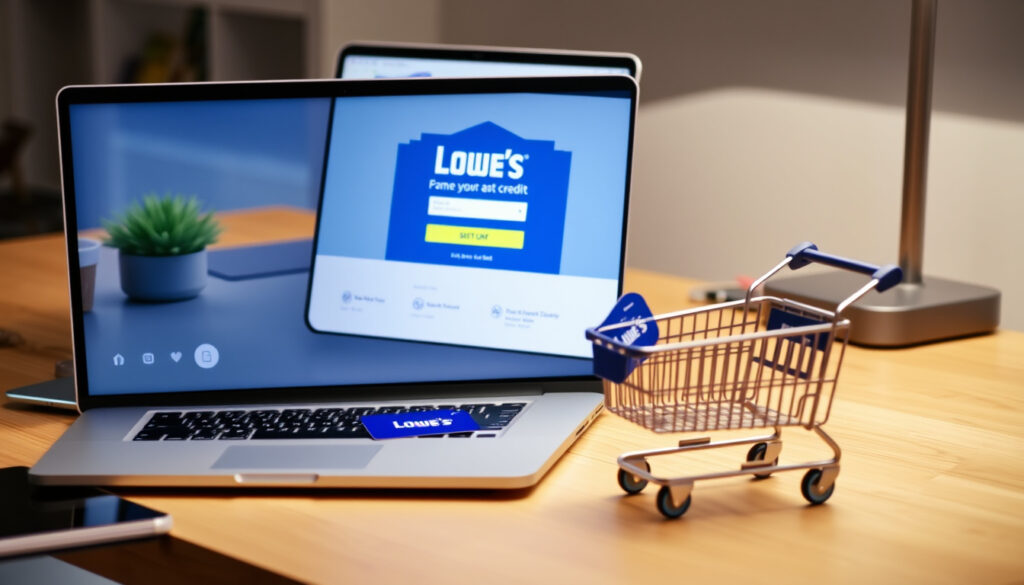
Lowe’s Credit Card Login: Sign In and Manage Your Account
If you’ve just signed up for a Lowe’s credit card or finally resolved to manage your account online, the first step can feel oddly tangled. Synchrony Bank, the issuer behind both the MyLowe’s Rewards Card and the Lowe’s Advantage Card, runs a separate portal from Lowe’s main website — meaning you’ll need to know exactly where to log in and what you can do once you’re there.
Issuer: Synchrony Bank ·
Annual Fee: $0 ·
Purchase APR Range: 17.99% – 26.99% variable ·
Discount on Lowe’s Purchases: 5% off eligible purchases ·
Online Account Management: Available via synchrony.com and lowes.syf.com
Quick snapshot
- Log in via the Synchrony portal (card issuer)
- Make one-time or automatic payments (Synchrony portal (card issuer))
- View payment history and statements (Synchrony portal (card issuer))
- Phone: 1-877-873-0400
- Online chat available via Synchrony
- 24/7 automated support
- View statements and balances
- Update contact info
- Set up alerts
- MyLowe’s Rewards Card issued by Synchrony
- Lowe’s Advantage Card issued by Synchrony
- Both offer $0 annual fee
Six key facts about the Lowe’s consumer credit cards, one pattern: both cards share the same issuer, login portals, and basic fee structure, diverging only on rewards and financing offers.
| Fact | Detail |
|---|---|
| Card Issuer | Synchrony Bank |
| Annual Fee | $0 |
| APR (Variable) | 17.99% – 26.99% |
| Discount on Lowe’s Purchases | 5% off eligible purchases |
| Online Account Access | synchrony.com (Lowe’s card portal) or lowes.syf.com |
| Customer Service Phone | 1-877-873-0400 |
How to Log In and Make Payments on Your Lowe’s Credit Card
Logging in via synchrony.com
- Go to Synchrony’s Lowe’s card management page (the official card issuer portal). According to Synchrony, users can “quickly pay your bill, view statements, set up alerts and more” once logged in.
- Enter the username and password you created when you registered your Lowe’s credit card online.
- If you’re a first-time user, click “Register” and provide your account number and ZIP code to create credentials, as noted by Wealthy Nickel (a personal finance guide).
Logging in via lowes.syf.com
- Navigate to lowes.syf.com/login (the Synchrony-hosted direct login page). A third-party guide from Gerald notes this portal allows you to “make a payment or set up autopay.”
- Enter your username and password. Forgot your password? The recovery flow typically asks for your username and ZIP code, per Wealthy Nickel’s login walkthrough.
- Check the “Remember Login” box if you’re on a personal device to streamline future visits.
Both portals point to the same account system, so choose whichever URL is easier to remember — synchrony.com/lowes or lowes.syf.com both work.
Making a one-time payment
- After logging in, click the “Pay” or “Make a Payment” button. Synchrony confirms you can “pay bills online or check balances by logging into your online account.”
- Enter your payment amount and select the checking or savings account you want to use. According to GOBankingRates (a personal finance publication), you’ll need your bank account and routing numbers handy if this is your first payment.
- Review and confirm — payments typically post within 1–2 business days.
- Don’t want to log in? Synchrony QuickPay lets you pay online without logging in, though first-time registration requires your account number, last four digits of SSN, and date of birth, as GOBankingRates explains.
Setting up automatic payments
- In the portal, navigate to the payment section and select “Automatic Payments” or “AutoPay.” Synchrony states autopay can be set up for the MyLowe’s Rewards Credit Card through its online account system.
- Choose the payment amount (minimum due, statement balance, or a custom amount) and link your bank account.
- Confirm the schedule — payments will be automatically deducted on your due date each month.
A Lowe’s customer who sets up autopay eliminates late fees entirely, which can run $39 or more per missed payment. The 1–2 day posting window means scheduling the payment two business days before the due date is a safe buffer.
What Is the Lowe’s Credit Card Customer Service Number?
Phone number for payment assistance
- General customer service (MyLowe’s Rewards and Advantage Card): 1-877-873-0400
- MyLowe’s Pro Rewards Credit Card: Synchrony lists 1-800-444-1408 (Synchrony’s official contact page) as the dedicated line for Pro cardholders.
- Lowe’s Commercial Account Credit Card: Synchrony lists 1-866-232-7443 (Synchrony’s commercial card line) for commercial account holders.
Phone number for account inquiries
- The same general number (1-877-873-0400) covers balance checks, statement requests, and account changes. Automated services are available 24/7, according to Synchrony’s help documentation.
- Live agent availability may vary — calling during standard business hours (Monday–Saturday 7 a.m.–10 p.m. ET) is recommended for complex issues.
The pattern: The general line handles everything from payments to account changes, while dedicated numbers for Pro and Commercial cards prevent wait-time transfers.
How to Manage Your My Lowe’s Credit Card Account
Viewing statements online
- Log into your account at lowes.syf.com or synchrony.com. According to Gerald (a consumer finance guide), users can download monthly statements as PDFs from the portal.
- Statements typically appear 3–5 days after each billing cycle closes.
Updating personal information
- In the account settings section, you can change your mailing address, phone number, and email address. As Gerald notes, “account details and communication preferences can be updated in the portal” without calling customer service.
- Address changes may require re-verification if you’re updating a recent billing address.
Setting up account alerts
- Alerts can be configured for payment due dates, confirmation of payments, and when your balance reaches a threshold. Gerald’s guide confirms that users can “set up account alerts for due dates and payment confirmations” via email or SMS.
- Push notifications are also available if you use the Lowe’s mobile app (see section below).
Enrolling in paperless billing
- In account settings, toggle paperless statements to “On.” Once enrolled, statements will be emailed or made available in the portal only.
- This also speeds up access: statements appear digitally 2–3 days earlier than mailed versions.
The implication: Every account-management task — from pulling a PDF statement to updating your address — happens without a phone call, provided you have portal access.
What Are the Different Lowe’s Credit Card Options (Synchrony, Advantage Card)?
MyLowe’s Rewards Credit Card
- Offers 5% off eligible Lowe’s purchases every day, according to Synchrony’s product page (the card issuer).
- $0 annual fee and variable APR of 17.99%–26.99%.
- Issued by Synchrony Bank and managed through the same login portal.
Lowe’s Advantage Card
- Designed for larger purchases: offers special financing on qualifying orders (e.g., 6 months deferred interest on orders of $299 or more, though terms vary).
- $0 annual fee and the same APR range as the MyLowe’s Rewards Card.
- Also issued by Synchrony Bank — the card can be used for everyday Lowe’s purchases, but the main draw is promotional financing for contractors and DIYers buying appliances or materials.
Key differences and benefits
- The MyLowe’s Rewards Card is the better choice for daily shoppers who want instant 5% savings; the Advantage Card suits those who need longer repayment windows on large-ticket items.
- Both cards share the $0 annual fee, same issuer, and same account management portals — the choice comes down to spending habits.
The Advantage Card’s deferred-interest promotions sound appealing, but missing the full payment by even one cent means all deferred interest gets charged retroactively — a perfect catch for anyone who buys $299 worth of lumber and doesn’t pay off the full amount in six months.
How to Use the Lowe’s Credit Center and Mobile App
Accessing the Lowe’s Credit Center website
- The Credit Center is at lowes.com/l/Credit/consumer-credit-center (Lowe’s official credit resources page).
- From here you can apply for a new card, check your credit card application status, or find links to the Synchrony management portal.
- It’s the hub for understanding card terms, promotional offers, and financing limits.
Downloading the Lowe’s mobile app
- The Lowe’s app is free for iOS (App Store – Lowe’s official app) and Android (Google Play – Lowe’s official app).
- After downloading, log in with your Lowe’s.com account. The app connects to your Synchrony card account for bill pay and balance viewing.
- You can also store your Lowe’s credit card in the app to use for in-store purchases via the app’s digital wallet feature.
Features available in the app
- Pay your Lowe’s credit card bill directly from the app.
- View your current balance, payment history, and available credit.
- Access your digital card for in-store checkout — no physical card needed.
- Receive push notifications for payment confirmations and special financing offers.
“Bring your next project to life with the MyLowe’s Rewards Credit Card.”
“Quickly pay your bill, view statements, set up alerts and more.”
— Synchrony Bank (Lowe’s card issuer portal)
Confirmed Facts and What’s Unclear
Confirmed facts
- Lowe’s credit cards are issued by Synchrony Bank, confirmed by Synchrony’s official partner page (the card issuer).
- The MyLowe’s Rewards Card offers 5% off eligible purchases, verified on the same Synchrony page.
- General customer service number is 1-877-873-0400, per Synchrony’s contact page.
What’s unclear
- Exact APR range applied to your account may vary by creditworthiness — the 17.99%–26.99% range is a ceiling and floor, not a guaranteed rate.
- Promotional financing terms (e.g., deferred interest periods on the Advantage Card) may change periodically. Always check the current terms at the Lowe’s Credit Center before making a large purchase.
The catch: A Lowe’s cardholder relying on promotional financing must confirm current terms at the Credit Center, because deferred-interest periods shift without notice.
Related reading: Lowe’s Credit Card: Login and Make a Payment · Lowe’s Credit Card Login | Payment & Bill Pay
lowescreditcard-guide.readthedocs.io, a11y.pearson.com, mycreation.cartier.com, bebee.com, elearning.aljazeera.net, synchrony.com, creditcard.view.edu.pl, cfajournal.org
For a comprehensive step-by-step guide, the Lowes credit card login guide walks you through the entire process.
Frequently asked questions
Can I pay my Lowe’s credit card by phone?
Yes, call 1-877-873-0400 and follow the prompts for making a payment. Automated payments can be made 24/7, or you can speak with a live agent during business hours.
How do I set up automatic payments on my Lowe’s credit card?
Log into your account at lowes.syf.com or synchrony.com, navigate to the payment section, and select “Automatic Payments.” You can choose to pay the minimum due, statement balance, or a custom amount each month.
What should I do if I forget my Lowe’s credit card password?
Go to lowes.syf.com/login and click “Forgot Username or Password.” You’ll need to enter your username and ZIP code to reset, per third-party guides. If you’ve forgotten both, call 1-877-873-0400 for assistance.
How do I close my Lowe’s credit card account?
Call Synchrony customer service at 1-877-873-0400 to request account closure. Make sure your balance is paid in full before closing. Closing a card may affect your credit utilization and credit score.
Does the Lowe’s credit card have a mobile app?
Yes — the Lowe’s app (available on iOS and Android) allows you to pay your bill, view your balance, and store your card for in-store purchases.
What is the difference between the Lowe’s Advantage Card and the MyLowe’s Rewards Card?
The MyLowe’s Rewards Card offers 5% off eligible purchases every day, ideal for frequent shoppers. The Lowe’s Advantage Card focuses on special financing promotions for larger purchases, like deferred interest on orders of $299 or more. Both have $0 annual fees.
How long does it take for a Lowe’s credit card payment to post?
Payments typically post within 1–2 business days. For this reason, it’s wise to schedule online payments at least two business days before the due date.
Can I use my Lowe’s credit card at any store?
No — Lowe’s credit cards issued by Synchrony can only be used at Lowe’s stores and online at Lowes.com. They are not general-use credit cards.
For the Lowe’s cardholder juggling a renovation project and monthly bills, the choice is clear: use the MyLowe’s Rewards Card for everyday 5% savings on materials, or the Advantage Card when financing a major appliance purchase — and set up autopay to avoid the trap of deferred interest.
More related posts
 Is Utah a Red State? 2025 Political Analysis
 Say the Word on Beat Game: How to Play & Master It
 Trust in God Lyrics: Elevation Worship, Hillsong, Chords
 Dave Chappelle Net Worth: $100 Million in 2026
 49ers vs Bears Player Stats: Key Performances in Week 17 Win
 The Silence of the Lambs: Plot, Scares, Famous Lines, and Meaning
 Sauron Rings of Power: Identity, Disguises & Lore Guide
 Zelda Breath of the Wild: Playtime, Platforms & Guide